App development
Your own EMS App: what to customize first
Plan a branded EMS App around control, onboarding, membership and launch ownership, with a practical brief for the 2011 system.
Start with the session, then the branding
A custom EMS App can make a training product feel like part of a coherent brand. The valuable work starts before choosing colors: decide who is using the App, what they need to do during a session and what support your business can provide after launch.
Only the 2011 controller uses MBODY, connecting the app to its EMS garments over Bluetooth. MBODY has no membership feature. MacroSea can develop a dedicated customer app with a customized user interface and membership functions. A custom App project starts at 100 garment and controller sets. Other product order quantities are discussed by model and project.
For a studio, the first priority may be a clear view of the controls during a supervised session. For a consumer brand, it may be a first use flow that a customer can follow at home. Write that difference into the brief before asking for visual concepts.
Choose one first use workflow
Map the journey from opening the package to finishing a session. List each step the customer needs to understand: prepare the garment and controller, open the App, connect the device, identify the controls, make an adjustment and finish. Mark the places where someone could hesitate or need help. That list is a better starting point for a first release than a long feature wish list.
Give the supplier a short scenario. For example: "A new customer opens the App beside a charged controller and needs to know whether the connection is ready before adjusting intensity." Ask for the proposed screens, labels and messages for that scenario. Test them with a person who has not seen the product before.
Apple's onboarding guidance favors teaching people in context and postponing nonessential setup. Apply that principle to the EMS experience: explain the next useful action where it happens, instead of making customers read several screens before they can understand the interface.
Make the controls understandable
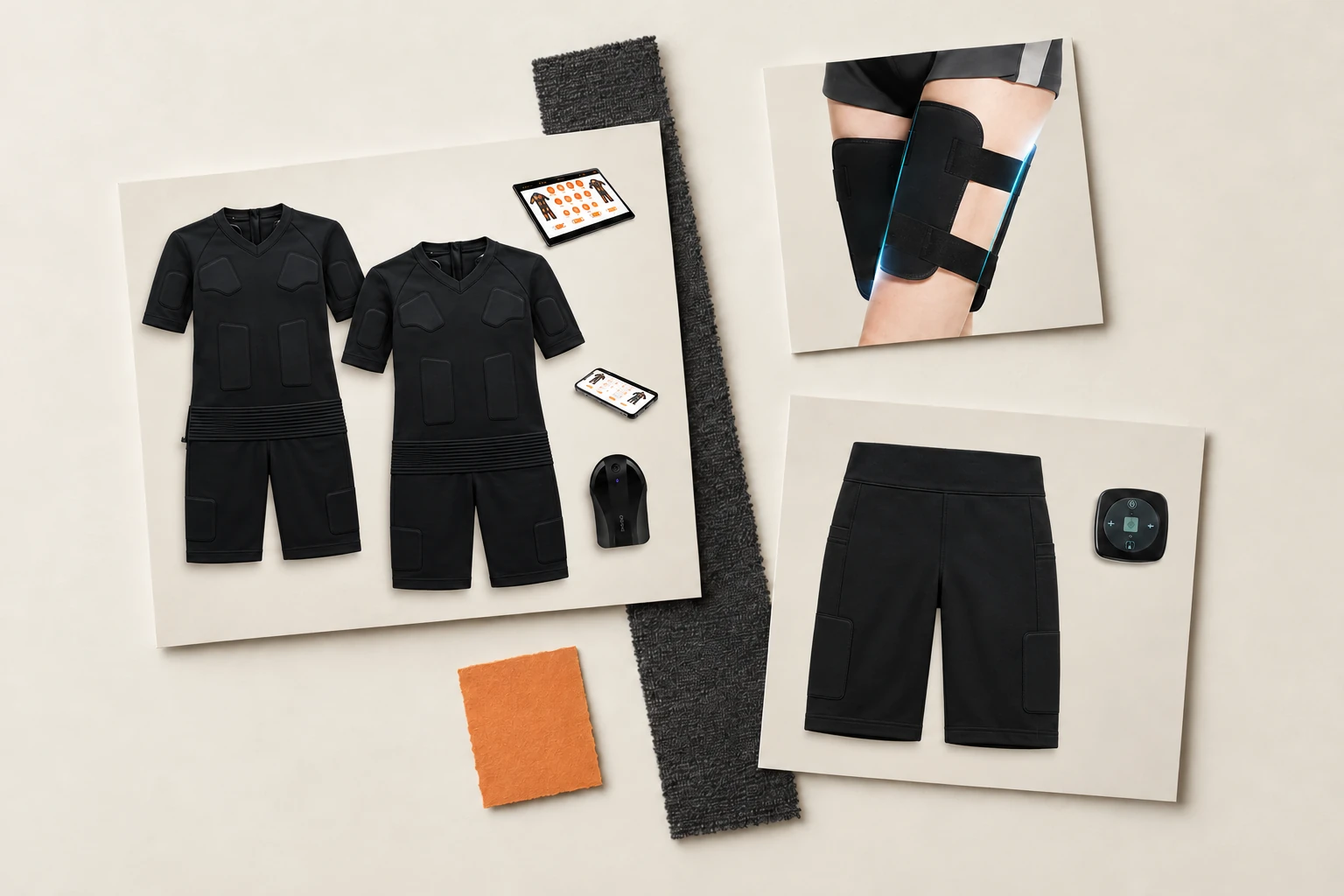
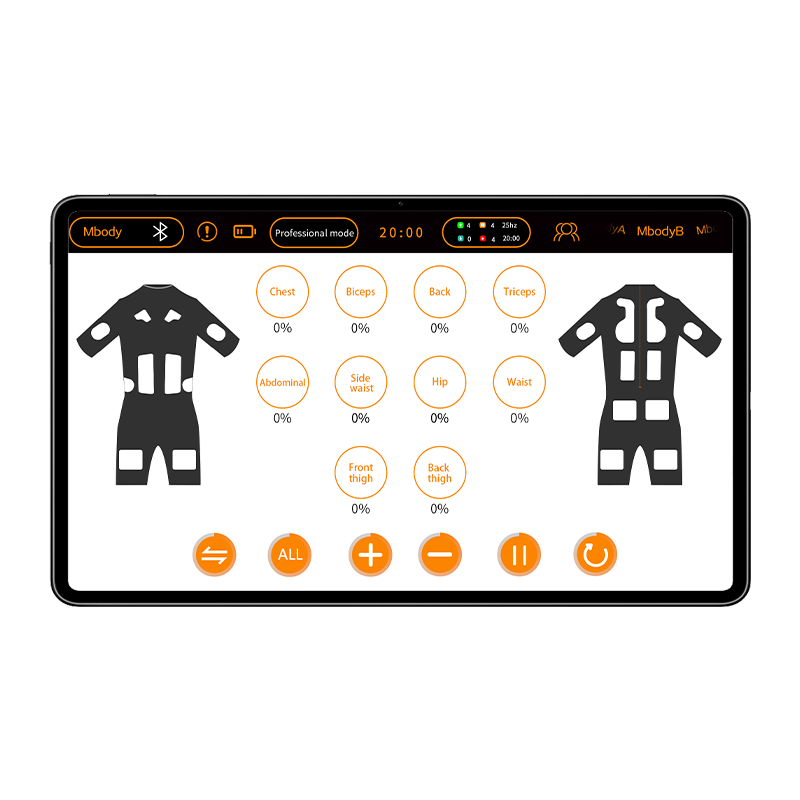
The 2011 system supports zone intensity adjustment, with a 0-100% range, and its controller has 16 independent outputs. Garment channel counts are different: for example, the 2011 shorts have five garment channels and 10 electrodes. Use labels that match each garment's actual zones and the controller's behavior.
In your design brief, sketch the information users need to see during a session: connection status, selected garment or zones, current values and the action they should take to finish. Decide how clear language, readable numbers and touch targets should work for your audience. Ask the development team which elements are available in the existing experience and which need additional design or development.
Include examples of connection loss and a user returning to the App. Agree on the intended messages and behavior with the supplier, then test them on the selected hardware.
Give membership a specific job
Membership functions can be developed for your dedicated app when they support your business model. Define the job first: a studio might want to distinguish its staff and members; a direct-to-consumer brand might want customers to maintain an account. Specify what each person should be able to see or change, and what happens when they no longer need access.
Potential additions such as saved preferences, session history, booking, payments or trainer dashboards belong in a feature roadmap. Describe the desired outcome and ask for feasibility, cost and timing for each; do not assume they are included in the base App. Rank them by customer value and operating effort. If a feature needs staff to maintain data every day, name that owner before adding it to the first release.
Keep the first version focused: an understandable control journey and the membership functions your business actually needs can be more useful than a crowded dashboard.
Plan permissions and store submission early
If you plan an Android release, map the Bluetooth permissions to the App's actual actions and target version. Show users why a permission is needed at the point they encounter it, and test what happens if they decline it. This is an interface and support issue as well as a development task.
For an App Store release, Apple's review guidelines require a privacy policy and, when an App supports account creation, an option to initiate account deletion within the App. Google Play requires developers to complete a Data safety declaration about collection and sharing, including relevant third-party code. Give the team a simple inventory of the data the proposed App will use and who will operate the services behind it.
Decide who owns the developer accounts, who prepares store listings and who responds to review questions. Store requirements and the final submission plan should be reviewed for the platforms you choose.
Prototype before committing the feature list
Use a clickable screen prototype or an early build to walk through the core session with the garment and controller. Give testers a task rather than an explanation: connect the device and find the intensity control. Note where they pause, which labels they misunderstand and whether they can tell what state the device is in.
Then test the practical variations that matter to your business: the phone models and operating systems you plan to support, a denied permission, a lost connection and a returning member. Record the expected result for each case in a shared acceptance list. This turns feedback into decisions the supplier can implement and the buyer can check.
Separate launch requirements from later ideas. A coherent first release gives you a reliable base for the next feature request.
What to include in your App brief
- Audience: who uses the App, where and with which 2011 garment.
- Brand: name, logo, colors, languages and interface references.
- Core journey: screens for setup, connection, zone adjustment and finishing a session.
- Membership: the account roles and functions needed at launch, plus later ideas.
- Platforms: target countries, phone types, operating systems and store accounts.
- Delivery: design approval, test devices, acceptance criteria, release ownership and post-launch maintenance.
Bring the estimated number of garment and controller sets and your target schedule to the first discussion. Discuss custom development fees with sales. MacroSea can then turn the brief into an OEM/ODM conversation about scope, design and production. Share your requirements to start.
Put it into practice
Explore the products and process.
Sources and further reading
Product and service details also draw on MacroSea's catalog and manufacturing brief. External references were read on October 30, 2026.
- MacroSea company and OEM/ODM overview
Company overview of EMS manufacturing and custom project development; App scope and 100-set condition come from supplied company answers.
- Onboarding, Human Interface Guidelines
Apple guidance on contextual instruction, essential setup and permission requests.
- Bluetooth permissions
Android requirements vary by target version and Bluetooth actions such as scanning and connecting.
- App Review Guidelines
Apple details App Store privacy policy and in-app account deletion requirements.
- Provide information for Google Play's Data safety section
Google describes data collection and sharing declarations, including third-party code.